> ## Documentation Index
> Fetch the complete documentation index at: https://docs.accessowl.com/llms.txt
> Use this file to discover all available pages before exploring further.
# Claude by Anthropic
AccessOwl integrates with Claude by Anthropic to provision and deprovision user access in your Claude Team or Enterprise organization. This page covers the Claude chat product. For managing Claude API access, see the [Anthropic Console](/integrations/all/anthropic-console) page.
## Capabilities
AccessOwl creates user accounts with the specified roles/permissions during access requests.
AccessOwl removes members from your Claude organization during access revocations.
AccessOwl periodically syncs a list of users along with their assigned roles/permissions.
User Sync is currently not available for organizations on the Claude Enterprise plan. Support for the Enterprise plan is coming soon.
## Prerequisites
* **Owner** access to your Claude organization, so you can invite the integration account.
## Setup
Either add a new application or open Applications and click the +-symbol, then continue.
AccessOwl shows you the integration account's email address. In Claude:
* Open **Organization settings** and go to **Members**.
* Click **Add member**.
* Enter the integration account's email address.
* Set the role to **Owner**.
* Send the invite.
The integration account needs the Owner role, Admin is not sufficient. In Claude, only Owners can grant or revoke the Owner and Admin roles, and the integration needs this to manage all members of your organization.
## FAQ
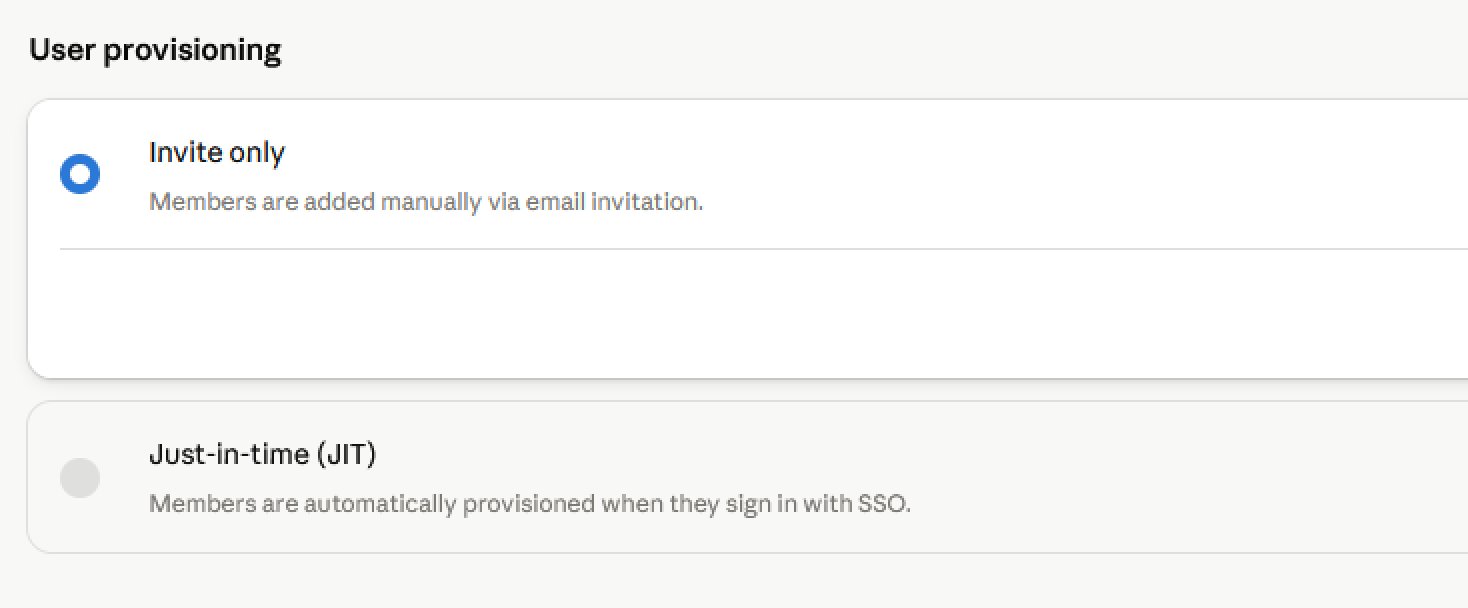
The integration account adds members to your Claude organization via email invitation. This requires the **User provisioning** setting to be set to **Invite only**. If it is set to **Just-in-time (JIT)**, members can only join by signing in through your SSO Identity Provider, and the integration account cannot invite them.
To change this, open **Organization settings**, go to **Organization and access**, and set **User provisioning** to **Invite only**.