User Sync is paused for extended maintenance. Anthropic recently introduced a change on their side that was not in place when this integration was built. Supporting it properly means reworking part of how our sync connects, and that work is running longer than we first planned, so we have taken User Sync for Claude offline in the meantime. Provisioning and deprovisioning are unaffected and continue to work as usual.
Capabilities
Provisioning
AccessOwl creates user accounts with the specified roles/permissions during access requests.
Deprovisioning
AccessOwl removes members from your Claude organization during access revocations.
Prerequisites
- Owner access to your Claude organization, so you can invite the integration account.
Setup
1
Add Claude in AccessOwl
Either add a new application or open Applications and click the +-symbol, then continue.
2
Invite the integration account as Owner
AccessOwl shows you the integration account’s email address. In Claude:
- Open Organization settings and go to Members.
- Click Add member.
- Enter the integration account’s email address.
- Set the role to Owner.
- Send the invite.
The integration account needs the Owner role, Admin is not sufficient. In Claude, only Owners can grant or revoke the Owner and Admin roles, and the integration needs this to manage all members of your organization.
FAQ
The integration account cannot invite users
The integration account cannot invite users
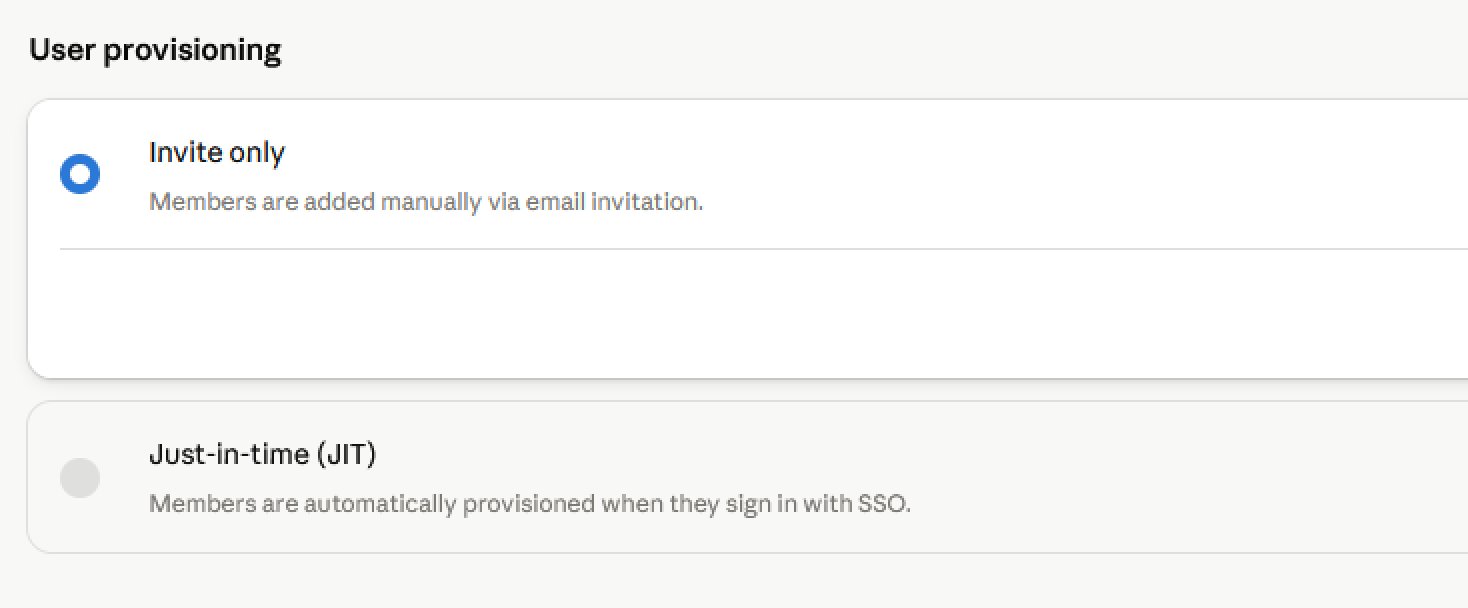
The integration account adds members to your Claude organization via email invitation. This requires the User provisioning setting to be set to Invite only. If it is set to Just-in-time (JIT), members can only join by signing in through your SSO Identity Provider, and the integration account cannot invite them.To change this, open Organization settings, go to Organization and access, and set User provisioning to Invite only.